AirPods Case Not Charging? Here’s What to Check First
It is easy to assume that an AirPods charging case has stopped working when you plug it in and nothing seems to happen. The battery indicator may stay unchanged, the earbuds may not charge, or the case may appear completely unresponsive.
Before replacing the case, though, it is worth taking a few minutes to figure out where the problem is coming from. If you are dealing with an airpods case not charging, the issue is not always caused by a failed battery. A dirty port, damaged cable, unsuitable power source, or software-related issue can create similar symptoms. The same troubleshooting mindset can help with other devices too. If you’ve ever wondered why my phone charges, the answer is often found by checking the simple things before assuming there is a serious hardware fault.
First, Figure Out What “Not Charging” Actually Means
Start by looking at the symptoms rather than immediately changing accessories. Is the case completely dead? Does the status light appear when you connect the cable? Does the case charge but the AirPods themselves remain at a low percentage? These situations can point toward different problems.
If the case has some battery remaining but isn’t increasing when connected to power, the charging connection deserves attention. If the case charges normally but one earbud doesn’t, the problem may be with the contact between that earbud and the case instead. Knowing exactly what is failing makes troubleshooting much easier.
Give the Case a Few Minutes
A completely drained battery can sometimes make a device look more unresponsive than it actually is. Connect the case to a known-working power source and leave it alone for a while. Avoid repeatedly unplugging and reconnecting it every few seconds. If the battery has been empty for an extended period, it may need some time before you see an obvious change. If nothing happens after giving it a reasonable amount of time, move on to the connection itself.
Check the Cable Before Blaming the Case
Charging cables go through a lot of wear. They are bent, twisted, carried in pockets, and plugged in and removed repeatedly. Try another compatible cable if you have one available. Ideally, use a cable that you already know works with another device.
Also inspect the connector. If it feels unusually loose, has visible damage, or only works when held at a particular angle, the cable may be the actual problem. This is one of the easiest tests because it doesn’t require changing any settings or taking anything apart.
Look Inside the Charging Port
Pocket lint and dust can accumulate inside small charging ports surprisingly quickly. Even a small amount of debris can prevent the connector from making proper contact. If the plug doesn’t seem to sit correctly or feels different from normal, inspect the port under good lighting.
Don’t push sharp metal objects into the port to remove debris. Doing so can damage delicate components. If cleaning is necessary, use an appropriate, gentle method and avoid forcing anything inside. The same principle applies to phones, tablets, and other rechargeable devices. A charging port doesn’t need to look visibly dirty for debris to interfere with the connection.
Try a Different Power Source
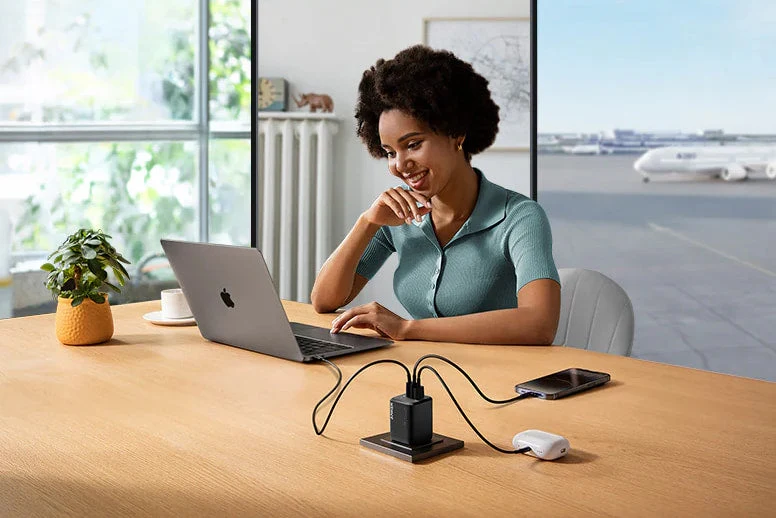
Sometimes the accessory is fine and the power source is the problem. If you’re using a particular wall adapter, computer USB port, power strip, or other source, try another reliable option. This helps narrow down whether the problem follows the charging case or stays with the original power source. For example, if the case charges when connected to one adapter but not another, you have a much clearer idea of where to investigate.
A reputable charger from a manufacturer such as Anker can be useful as part of a reliable charging setup, but the important thing is to use an appropriate, compatible power source rather than focusing only on the brand.
What If the AirPods Aren’t Charging?
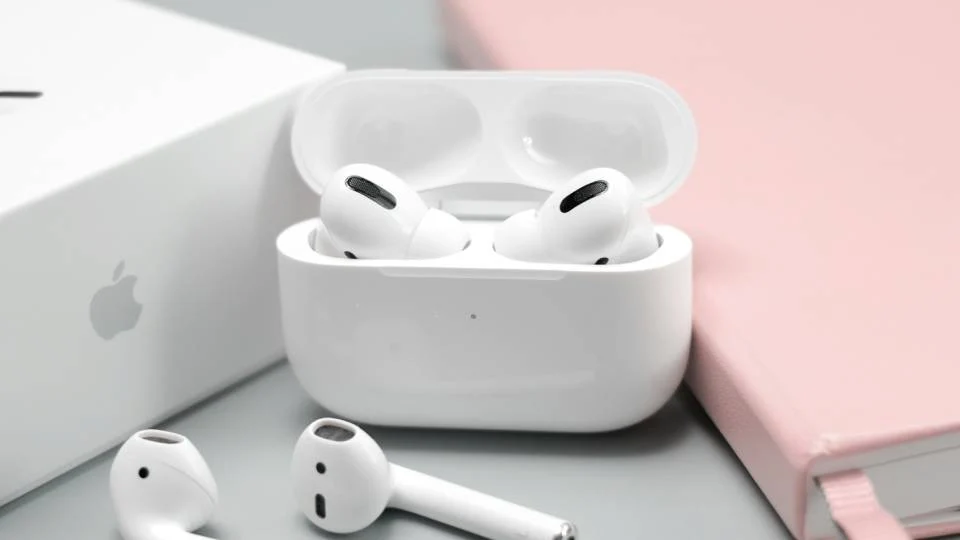
There’s an important difference between a case that won’t charge and earbuds that won’t charge inside the case. If the case itself has power but one or both AirPods aren’t gaining battery, remove them and check the charging contacts. Dirt or residue around the contact points can interfere with the connection.
Place each earbud back into its slot and make sure it sits correctly. If one side repeatedly fails while the other charges normally, that may indicate an issue specific to that earbud or its contact point. This simple observation can save you from replacing the entire case unnecessarily.
Don’t Forget Temperature
Charging behavior can also be affected by temperature. If the case or another device has become very hot or very cold, allow it to return to a more normal room temperature before trying again. Avoid charging electronics in direct sunlight, inside a hot vehicle, or in other extreme conditions. Heat is particularly worth paying attention to if several devices are charging in a small or poorly ventilated space.
Restart and Reconnect
When physical checks don’t solve the problem, software and connection issues are worth considering. Place the AirPods in their case, close the lid, wait briefly, and then try again. If you’re troubleshooting a connection between the AirPods and your phone, reconnecting or resetting the pairing can sometimes resolve unexpected behavior.
For a phone that refuses to charge, a restart can also be a useful basic step, especially if the device recently experienced an unusual software glitch. If you’re wondering why won’t my phone charge, the important point is to make changes one at a time. If you replace the cable, switch adapters, clean the port, and reset the device simultaneously, you won’t know which step actually solved the problem.
When It’s Time to Stop Troubleshooting
If you’ve tested a working cable, tried another suitable power source, checked the charging port, allowed the device to reach a normal temperature, and still get no response, the issue may be more serious. Signs such as physical damage, unusual swelling, burning smells, or excessive heat should not be ignored. Stop using the affected accessory and seek appropriate professional support rather than trying to open or repair a battery yourself.
For older charging cases, battery wear is another possibility. Rechargeable batteries don’t maintain their original capacity forever, and eventually replacement may make more sense than continued troubleshooting.
A Better Way to Handle Charging Problems
The biggest lesson from a charging problem is that you don’t need to jump straight to replacement. Check the simplest possibilities first: power source, cable, port, contacts, temperature, and software. Work through them one at a time and pay attention to exactly what changes. That approach applies far beyond AirPods. Whether a phone, tablet, laptop, or accessory refuses to charge, identifying the specific point where the charging process breaks down can often make the solution much clearer.
Conclusion
An airpods case not charging can be frustrating, particularly when the earbuds are already running low on battery. Fortunately, the problem isn’t automatically a sign that the case has failed. Give the case time to respond, test the cable and power source, inspect the charging port, check the earbud contacts, and consider temperature or connection issues. If those steps don’t help or if you notice physical damage or unusual heat—professional support is the safer next step. A few careful checks can often tell you whether you’re dealing with a simple charging problem or something that genuinely needs replacement.
FAQs
Why is my AirPods case not charging when plugged in?
Possible causes include a faulty cable, unsuitable power source, debris in the charging port, or a problem with the case’s battery or charging hardware. Testing a known-working cable and power source is a good place to start.
How long should I leave a completely dead AirPods case charging?
Give a fully drained case some uninterrupted charging time before deciding that it isn’t responding. If there is still no indication of charging afterward, test the cable and power source.
Why does my AirPods case charge but not the earbuds?
The case may have power while the earbuds aren’t making proper contact with their charging points. Check that the earbuds are seated correctly and that the contact areas are clean.
Can a dirty charging port prevent an AirPods case from charging?
Yes. Dust or lint inside a small charging port can interfere with the connector. Inspect the port carefully and avoid using sharp objects that could damage it.
What should I do if my phone and AirPods both won’t charge?
Start by testing the charger, cable, and power outlet with a device that you know works. If several devices fail with the same setup, the charging accessories or power source may be responsible rather than the devices themselves.