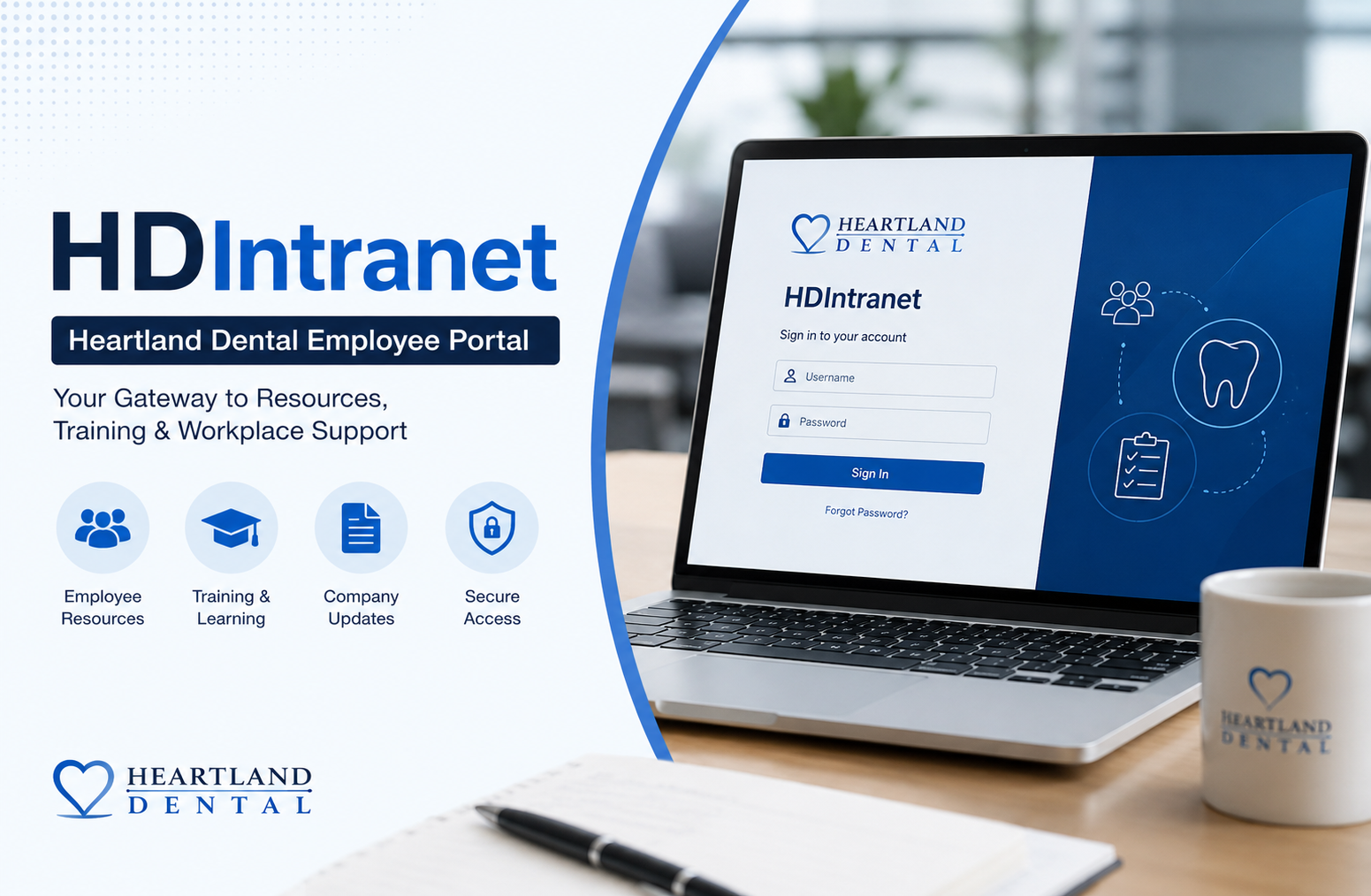
HDIntranet: Heartland Dental Employee Portal and Login Guide
HDIntranet is a term associated with Heartland Dental’s internal digital environment, which supports communication, employee resources, training, and workplace operations. For employees and people connected with supported dental practices, understanding HDIntranet can make it easier to identify the correct portal, understand its purpose, and resolve common access problems. Unlike an ordinary public website, an internal intranet is designed for authorized users who need access to organization-specific information and services. This guide explains what HDIntranet means, how it relates to Heartland Dental, who may use it, how login access generally works, and what users should know about security, troubleshooting, and its role in daily workplace activities.
What Is HDIntranet?
HDIntranet refers to the internal digital environment associated with Heartland Dental. It is commonly discussed as an employee and practice-support resource that helps authorized users connect with organizational information and workplace systems.
The term combines two ideas: HD, which refers to Heartland Dental in this context, and intranet, which describes a private network used within an organization. An intranet is different from the public internet because access is normally limited to employees, approved partners, and other authorized members.
In a large organization, employees need more than an email address and a computer to complete their daily responsibilities. They may need company announcements, training information, operational procedures, internal documents, and access to business applications. A centralized digital environment can make these resources easier to locate.
Heartland Dental supports dental practices through nonclinical business and administrative services. Its network involves people working in different offices, departments, and professional roles. A shared internal technology environment can help these groups find relevant information and follow established organizational processes.
It is important to distinguish confirmed information from assumptions. Public information associates HD Intranet with Heartland Dental and confirms that employees may receive training on how to navigate it. However, the complete internal dashboard, exact application list, and individual account permissions are not publicly documented. Therefore, specific features should not be treated as guaranteed for every user.
Understanding the Purpose of HDIntranet
The main purpose of an organizational intranet is to provide a controlled digital space where people can access information relevant to their work.
For a dental support organization, this purpose can be particularly important. Dental practices handle several responsibilities at the same time, including patient administration, staffing, financial operations, scheduling, professional development, and compliance-related procedures.
These responsibilities often involve different teams. Practice managers may need operational information, administrative employees may need process instructions, and support personnel may need resources for helping multiple offices.
Without a central information environment, employees can spend unnecessary time looking for documents or asking different departments where information is stored.
HDIntranet is associated with this broader internal support environment.
Its organizational relevance can be understood through several practical objectives:
- Making internal resources easier to locate.
- Supporting communication across different workplace locations.
- Helping employees understand company procedures.
- Providing access to relevant training information.
- Supporting consistency in administrative processes.
- Connecting authorized users with workplace systems.
- Helping teams remain informed about organizational activities.
The value of an intranet does not come simply from having another website. Its value depends on whether employees can find accurate information quickly and use it to complete real tasks.
How HDIntranet Relates to Heartland Dental
To understand the platform properly, it helps to understand the organization behind it.
Heartland Dental is a dental support organization based in the United States. It provides nonclinical support services to dental practices, helping doctors and their teams manage the business and administrative responsibilities associated with running a practice.
These services can involve areas such as human resources, technology, marketing, financial support, operations, and professional development.
The organization’s support model makes internal communication important. Employees and supported practices may work across different locations, and their responsibilities can vary considerably.
A centralized internal environment can help connect these groups without requiring every office to manage organizational information independently.
For example, a practice employee may need to understand a company procedure, while an integration specialist may need to help a newly affiliated practice become familiar with internal systems. Both activities require accessible information and clear guidance.
Public Heartland Dental employment information specifically references training doctors and team members to navigate HD Intranet. This is useful evidence that the system has a practical connection to employee training and organizational workflows.
It also explains why the platform is relevant beyond basic communication. It forms part of a larger digital environment used to support workplace activities.
Who Can Use HDIntranet?
HDIntranet is not intended to operate like an open website where anyone can create an account.
Access is generally associated with an authorized relationship with Heartland Dental or an organization that uses its internal systems.
Depending on organizational arrangements and account permissions, potential users may include:
Heartland Dental Employees
Employees working in corporate, administrative, technology, human resources, and operational departments may need internal resources to perform their responsibilities.
Their access requirements depend on their positions and the systems assigned to them.
Supported Dental Practice Teams
People working in supported dental practices may need organizational information, procedures, and relevant business resources.
The exact access available to a particular practice depends on its authorization and the individual’s role.
Practice Managers
Practice managers have responsibilities involving office operations, staff coordination, administrative processes, and business performance.
Internal resources can help them locate the information needed to carry out these responsibilities.
Doctors and Dental Professionals
Doctors associated with supported practices may need access to selected organizational resources and training information.
However, access to an internal portal should not be confused with access to patient records or clinical systems. Those systems may have separate requirements and permissions.
Integration and Support Specialists
Employees involved in helping practices join or work with the organization may need to explain internal systems and procedures.
Training on HD Intranet navigation is particularly relevant to this type of responsibility.
Important: Not every person connected with Heartland Dental necessarily receives identical access. Account permissions should be determined by the organization.
HDIntranet Login: How Access Generally Works
One of the main reasons people search for HDIntranet is to understand how to reach the employee portal.
The first thing to understand is that an internal portal requires authorized credentials. Knowing the portal’s name does not automatically provide access.
The appropriate login route should come from Heartland Dental or the user’s designated internal contact.
The current Heartland portal environment uses an F5 BIG-IP gateway, which can display a session-related message when a valid session has not been established. This is an important reason to follow current organizational login instructions instead of relying on old screenshots or outdated third-party guides.
General Login Steps
Although the exact authentication process can change, authorized users can follow this general approach:
- Open the login address supplied through an official Heartland Dental communication or internal resource.
- Check that the website address is correct before entering any information.
- Enter the username or account credentials provided by the organization.
- Complete any additional verification required by the login system.
- Wait for the authentication process to finish.
- Open the resources available to your account.
- Sign out when using a shared or public computer.
These steps describe a general secure-login process. They should not be interpreted as confirmation that every account uses the same login screen or authentication method.
What Information Do You Need?
An authorized user may need:
- A valid organizational username.
- An active account.
- The current password.
- Access to any required verification method.
- A supported browser and internet connection.
Some organizations also use single sign-on, which allows employees to authenticate once before accessing multiple approved applications.
Whether a particular user needs additional verification depends on the organization’s current security configuration.
Why You Should Avoid Unofficial Login Pages
Search engines may display third-party articles claiming to provide direct access to an employee portal.
These articles can be useful for general explanations, but they should not be treated as the authority for account authentication.
A third-party website cannot establish that an employee is authorized to access an internal system. It also cannot guarantee that an old login address is still active.
Before entering credentials, check the website address against information provided by your organization. Never provide your password to an unfamiliar website simply because it uses the HDIntranet name.
Main Functions Associated With an Employee Intranet
A company intranet can support several workplace activities. The exact services available through HDIntranet depend on Heartland Dental’s internal configuration and the permissions assigned to each account.
Understanding the general functions of an intranet helps explain why organizations use these systems.
1. Centralized Workplace Information
Employees regularly need access to information about company procedures, workplace expectations, internal policies, and organizational updates.
A central information environment can make it easier to locate approved resources.
For example, a practice manager who needs guidance on an administrative procedure should ideally be able to identify the current version without searching through old email attachments.
Centralization also makes it easier for organizations to maintain consistent information across different locations.
2. Internal Communication
Communication becomes more complicated when employees work across multiple offices.
An internal portal can provide a common location for organizational updates, announcements, and other approved information.
This can reduce dependence on scattered messages and help employees stay informed.
However, it is important not to assume that every intranet includes built-in messaging, video meetings, or social networking features. These capabilities depend on the actual software and configuration.
3. Training and Learning Resources
Training is an important part of workplace technology.
New employees need to understand company procedures, while existing employees may need to learn about updated systems and responsibilities.
Heartland Dental employment information directly refers to hands-on training in navigating HD Intranet.
This provides a practical indication of the platform’s role in employee development.
A well-organized training environment can help employees become more comfortable with internal systems and reduce the time spent learning routine procedures.
4. Access to Organizational Resources
Different employees require different information.
An administrative employee may need a procedure document, while a manager may need an operational resource.
A role-based intranet can organize resources according to job responsibilities.
This approach can reduce unnecessary access to unrelated information and make the workplace experience more relevant.
5. Support for Standardized Procedures
Organizations with multiple locations often need consistent administrative processes.
A centralized digital resource can help employees locate approved instructions and understand how particular tasks should be completed.
Standardization does not mean every dental practice operates identically. It means employees have access to established organizational guidance while working within the appropriate practice structure.
6. Connection With Other Business Systems
An intranet can sometimes act as a starting point for accessing separate workplace applications.
For example, organizations may connect internal portals with training platforms, human resources applications, document systems, or other business software.
However, a portal that links to an application is not necessarily the application itself.
This distinction matters when discussing features such as payroll, scheduling, benefits, or employee records. Unless official documentation confirms that a particular service is available directly through HDIntranet, users should verify the correct application with their organization.
Benefits of HDIntranet for Employees
A useful internal portal should make work easier rather than create additional steps.
Its benefits depend on the quality of its information, ease of navigation, system reliability, and relevance to employee responsibilities.
Easier Access to Information
Employees can lose time searching through emails, folders, and separate websites.
A centralized resource can provide a clearer starting point for locating workplace information.
This is especially useful when a procedure or policy is needed during a busy working day.
Better Organizational Awareness
Employees need to understand what is happening within their organization.
Centralized updates can help teams stay informed about relevant announcements, changes, and workplace resources.
This can improve awareness between people who do not regularly work in the same physical location.
More Consistent Training
When employees use a shared resource for approved procedures, the organization can provide a more consistent learning experience.
This is useful for new employees and people moving into different roles.
Improved Workplace Coordination
A dental practice involves several professional responsibilities.
Administrative teams, managers, doctors, and support personnel need to understand how their activities relate to one another.
An internal information system can support coordination by making relevant resources easier to find.
Less Dependence on Scattered Documents
Older documents can become difficult to manage.
Employees may accidentally use outdated instructions or save multiple versions of the same file.
A well-maintained central resource can reduce this problem by making current approved information easier to identify.
Greater Independence in Routine Tasks
When employees know where to find reliable internal guidance, they may be able to complete routine tasks without repeatedly contacting another department.
This does not eliminate the need for support. Instead, it allows support teams to focus on issues that genuinely require their involvement.
Benefits for Managers and Supported Dental Practices
The value of an internal system extends beyond individual employees.
Managers and supported practices also need reliable information to coordinate their work.
Supporting Daily Operations
Practice managers handle a range of administrative activities.
These can include staffing coordination, office procedures, financial processes, and communication with support departments.
Access to relevant organizational resources can make these responsibilities easier to manage.
Helping New Practices Understand Processes
When a practice becomes affiliated with a larger support organization, employees may need to become familiar with new procedures and systems.
An internal resource can provide a central reference point during this transition.
Training is particularly important because simply providing access to a portal does not guarantee that employees understand how to use it.
Supporting Consistency Across Locations
Multiple practices may encounter similar administrative questions.
A shared information environment can help distribute consistent guidance and reduce unnecessary differences in routine processes.
Improving Access to Support Information
Managers may need to identify the correct department or resource when an issue arises.
A structured internal environment can help them understand where to look for assistance.
HDIntranet and Employee Training
Employee training deserves particular attention because it is one of the areas directly associated with HD Intranet in public Heartland Dental employment information.
Training is not simply a matter of explaining where to click.
Employees need to understand how the system relates to their responsibilities, which resources are relevant to their positions, and how to recognize current information.
A good training process should address several areas.
Understanding the Portal Structure
New users should learn how internal resources are organized.
They need to understand the main navigation areas and how to locate the information they use most frequently.
Learning Account Responsibilities
Employees should understand that account access is personal and must be protected.
They should not share credentials or allow unauthorized individuals to use their accounts.
Identifying Approved Information
Training should explain how to distinguish current organizational instructions from old documents or unofficial online material.
This is especially important when procedures change.
Knowing Where to Get Help
Employees should know which internal department handles access problems, password issues, and technical questions.
This prevents unnecessary delays and reduces the risk of using unreliable troubleshooting advice.
Developing Confidence Through Practice
Employees often become more comfortable with workplace software when they can practice common tasks.
Practical training is generally more useful than simply receiving a list of features.
HDIntranet Security and Privacy Considerations
Security is essential for any internal employee portal.
An intranet may connect users to organizational information and other business applications. Therefore, access must be managed carefully.
The current Heartland portal’s use of an F5 BIG-IP gateway demonstrates that authentication and session management are part of its access environment.
However, users should not assume that a particular security technology guarantees complete protection. Security also depends on account management, device safety, user behavior, and organizational policies.
Protect Your Login Credentials
Never share your password with coworkers, friends, or people claiming to provide unofficial technical assistance.
If someone needs access to an organizational resource, they should use their own authorized account.
Verify Website Addresses
Fake login pages can imitate legitimate services.
Before entering credentials, confirm that the website address matches the instructions supplied by your organization.
Be cautious about links received through unexpected emails or messages.
Use Secure Devices
Whenever possible, access workplace systems through devices approved by the organization.
Shared computers require additional care because saved passwords and active sessions can expose account information.
Sign Out Properly
Closing a browser tab does not always end an authenticated session.
When using a shared computer, sign out through the portal and close the browser afterward.
Keep Your Browser Updated
Outdated browsers may have compatibility or security problems.
Use a browser supported by your organization and install updates according to company policy.
Report Suspicious Activity
If you notice an unfamiliar login request, suspicious message, or unexpected account activity, report it through the organization’s approved security or IT support process.
Do not attempt to investigate suspicious links by entering your credentials.
Common HDIntranet Login Problems and Their Solutions
Login problems can happen even when an employee has an active account.
The cause may involve incorrect credentials, expired passwords, browser settings, session problems, or organizational access restrictions.
The following troubleshooting steps can help users identify common issues.
1. Incorrect Username or Password
This is one of the simplest explanations for a failed login.
Check the spelling of your username and make sure your password is entered correctly.
Pay attention to:
- Capital and lowercase letters.
- Accidental spaces.
- Keyboard language settings.
- Caps Lock.
- Old saved passwords.
If the credentials still fail, use the official password assistance process.
2. Expired Password
Some organizations require users to update passwords periodically.
If your password has expired, you may need to follow the approved reset procedure before accessing the portal.
Do not repeatedly guess passwords because too many unsuccessful attempts may trigger an account security restriction.
3. F5 BIG-IP Session Message
The current Heartland portal environment can display an F5 BIG-IP message indicating that a valid session has not been established.
This may happen when session information is missing or the browser is not handling required cookies correctly.
Possible troubleshooting steps include:
- Close the current portal session.
- Open a new browser window.
- Make sure cookies are enabled where required.
- Return to the organization-approved portal address.
- Start a fresh login process.
- Complete authentication again.
If the message continues, contact internal IT support.
4. Browser Compatibility Issues
Some workplace applications work best with specific browser versions.
If the portal does not load properly, try a browser approved by your organization.
Also check whether browser extensions are interfering with login or session behavior.
5. Slow Internet Connection
An unstable connection can interrupt authentication or prevent pages from loading.
Check your internet connection and try opening another trusted website.
If other websites are also slow, the problem may be related to your network rather than the internal portal.
6. Account Inactivity or Access Restrictions
An account may be inactive, disabled, or missing the permissions required for a particular resource.
In this situation, clearing browser data will not necessarily solve the problem.
Contact the appropriate organizational department to confirm your account status.
7. Missing Access to a Specific Resource
Sometimes the login works, but a particular application or document is unavailable.
This may indicate that the account does not have the required permissions.
Explain the exact resource you are trying to access when contacting support. This makes it easier for the responsible team to identify the issue.
How to Use an Internal Portal More Effectively
Having access to a workplace portal is only the first step.
Employees also need to use it in a way that saves time and reduces mistakes.
Learn the Main Navigation Areas
Spend time understanding how the portal is organized.
Knowing where common resources are located makes future tasks easier.
Use Official Information
When looking for workplace procedures, prefer current documents supplied through approved organizational channels.
Avoid relying on outdated files saved on personal devices.
Understand Your Account Permissions
If you cannot access a particular resource, do not assume that the portal is broken.
Your position may not require access to that application.
Ask the appropriate internal department to confirm your permissions.
Follow Training Instructions
If the organization provides training, use it to understand the correct workflow.
This is especially useful when a portal connects to multiple internal applications.
Keep Security in Mind
Avoid leaving accounts open on shared computers.
Do not save passwords on devices that other people can access.
Report Problems Clearly
When contacting technical support, explain:
- The page or resource you were trying to open.
- The error message displayed.
- The browser and device being used.
- Whether the problem started recently.
- Whether other authorized users are experiencing the same issue.
Providing these details can help support teams investigate more efficiently.
HDIntranet Compared With Public Heartland Dental Websites
One common source of confusion is the difference between an internal portal and public company websites.
Although these digital resources may relate to the same organization, they serve different purposes.
Corporate Website
A corporate website provides public information about the organization.
Visitors may learn about its services, company background, leadership, and business activities.
It does not automatically provide access to internal employee resources.
Careers Website
A careers website is designed for people exploring employment opportunities.
It may contain job listings, application information, and details about working for the organization.
Job seekers should use the official careers platform rather than attempting to access an employee intranet.
Employee Intranet
An employee intranet is designed for authorized internal users.
Its purpose is to provide workplace information and access to resources relevant to organizational responsibilities.
Individual Business Applications
Some organizations use separate applications for human resources, training, scheduling, or other functions.
These applications may be connected to an internal portal without being part of the same software product.
Understanding this distinction helps employees avoid searching for every service under one portal name.
Is HDIntranet Available to Everyone?
No. HDIntranet is associated with an internal organizational environment rather than a public service.
Access normally depends on an authorized account and the permissions assigned by the organization.
A person who is not affiliated with Heartland Dental should not expect to register independently or access employee resources.
This restriction is a normal feature of an internal business network.
An intranet is designed to make information available to the right people, not to publish private organizational resources to the entire internet.
For this reason, users should be cautious about websites claiming that anyone can create a free HDIntranet account.
If you are a new employee or an authorized team member who has not received access instructions, contact your designated manager or internal support department.
Is HDIntranet a Software Product That Other Companies Can Purchase?
The term HDIntranet is commonly associated with Heartland Dental’s internal environment.
It should not automatically be treated as the name of a publicly available software product that any business can purchase.
Many organizations have their own internal portals, even when those systems use similar terminology.
A company looking for an intranet solution should evaluate its actual requirements rather than assume that another organization’s internal system is commercially available.
Important evaluation criteria include:
- User authentication.
- Role-based permissions.
- Document management.
- Internal communication.
- Search functionality.
- Mobile compatibility.
- Integration with existing applications.
- Technical support.
- Data protection.
- Ongoing maintenance.
The right solution depends on organizational size, employee needs, available technology, and security requirements.
Challenges Associated With Internal Employee Portals
An intranet can provide significant organizational value, but it also creates challenges.
Understanding these limitations gives readers a more realistic picture of workplace technology.
Outdated Information
A portal is only useful when its information is maintained.
If employees regularly encounter old procedures or expired documents, they may lose confidence in the system.
Organizations need clear ownership of internal content and a process for reviewing important documents.
Complicated Navigation
An intranet with too many sections can become difficult to use.
Employees should not have to open multiple pages just to locate a routine document.
Clear categories, search tools, and logical navigation can improve the experience.
Access Problems
Authentication requirements protect internal resources, but login problems can interrupt work.
Organizations need reliable account support and clear instructions for recovering access.
Different Employee Requirements
A manager, administrator, doctor, and technology specialist may need different resources.
A system that shows irrelevant information to every user can become confusing.
Role-based access and sensible organization help address this problem.
Limited User Training
Employees may not understand how to use a portal if they receive credentials without proper guidance.
Training should explain both the navigation process and the purpose of important resources.
Dependence on Technology
An internal portal depends on devices, networks, browsers, authentication services, and other technical components.
If one part fails, users may temporarily lose access.
Organizations should have appropriate technical support and alternative procedures for essential activities.
The Importance of Intranet Systems in Modern Dental Organizations
Dental organizations combine clinical work with complex administrative responsibilities.
While doctors focus on professional dental services, supported practices also need to manage staffing, patient administration, financial processes, technology, and business operations.
These activities involve different people and departments.
An internal digital environment can help connect employees with the information they need without requiring every office to develop separate procedures for locating organizational resources.
This is particularly important for organizations operating across many locations.
A centralized system can support consistency while allowing individual employees to access resources relevant to their positions.
It can also make organizational changes easier to communicate.
For example, when an approved procedure changes, a central information source can help employees locate the updated instructions rather than relying on an old email or printed document.
The effectiveness of such a system depends on good information management, employee training, and reliable technical support.
What to Do If You Are a New Heartland Dental Employee
New employees may be unfamiliar with internal systems and organizational terminology.
The best approach is to obtain access information through official onboarding channels.
Start by confirming your account details with the relevant manager or onboarding contact.
Ask which portal address should be used and whether additional authentication is required.
If training is available, complete it before attempting unfamiliar tasks.
You should also clarify which resources are relevant to your position. Different employees may have different responsibilities and therefore different system permissions.
Keep the following points in mind:
- Use only the login address provided by the organization.
- Protect your username and password.
- Complete required onboarding and system training.
- Ask questions when a resource is unclear.
- Follow official instructions for password changes.
- Contact internal support when access fails.
- Never use another employee’s account.
These steps provide a safer and more organized introduction to workplace technology.
What to Know About HDIntranet Information Online
People searching for HDIntranet may encounter articles with different descriptions of its features and login process.
This happens because internal business systems are not always fully documented for public visitors.
Some online guides describe payroll, benefits, scheduling, employee records, messaging, and training as if every function is confirmed to be part of one platform.
However, these descriptions should be treated carefully.
A company may use several connected applications, each with separate access requirements. A central portal may provide links to those systems without directly providing every service.
There is also a difference between an organization’s confirmed internal system and information published by independent websites.
A reliable explanation should distinguish between:
- Information confirmed by organizational sources.
- General capabilities commonly associated with intranets.
- Features reported by third-party articles.
- Functions that cannot be independently verified.
This distinction is important because accurate information is more useful than a long list of attractive but unconfirmed features.
For anyone trying to access the system, official organizational instructions should always take priority over an online article.
Frequently Asked Questions About HDIntranet
1. What is HDIntranet used for?
HDIntranet is associated with Heartland Dental’s internal digital environment. It is connected with workplace information, employee resources, organizational processes, and training-related activities for authorized users.
2. Who is eligible to use HDIntranet?
Access is intended for authorized Heartland Dental employees and other approved users associated with supported practices. The exact permissions depend on the user’s role and organizational authorization.
3. How do I log in to HDIntranet?
Use the current login address and instructions provided by Heartland Dental. Enter your authorized credentials and complete any additional authentication requirements. Do not rely on unofficial login pages.
4. Can I access HDIntranet without being a Heartland Dental employee?
Generally, no. It is an internal organizational environment, not a public website with unrestricted registration.
5. Why is my HDIntranet login not working?
Possible reasons include incorrect credentials, an expired password, browser compatibility issues, missing cookies, session problems, or account restrictions. Follow official troubleshooting instructions or contact internal IT support.
6. Does HDIntranet provide employee training?
Public Heartland Dental employment information specifically references hands-on training for doctors and team members on navigating HD Intranet. The exact training resources available depend on organizational arrangements.
7. Is HDIntranet the same as the Heartland Dental public website?
No. The public website provides general company information, while the intranet is intended for authorized internal users and workplace resources.
8. Can I use HDIntranet on my mobile phone?
Mobile access depends on the organization’s supported applications, device requirements, and security configuration. Check with internal support before assuming that every portal function is available on mobile devices.
9. Is HDIntranet safe?
Its access environment includes authentication and session management. However, users must also protect their credentials, verify login addresses, use approved devices, and follow organizational security policies.
10. Can I create my own HDIntranet account?
There is no reason to assume that public self-registration is available. Account creation and permissions should be handled through the organization’s authorized onboarding and support processes.
Conclusion
HDIntranet is associated with Heartland Dental’s internal digital environment and plays a role in the broader workplace technology used by authorized employees and supported-practice teams. Its importance comes from the need to make organizational information, training, and relevant internal resources accessible across a large professional network.
Understanding the difference between an internal portal and a public website is essential for anyone searching for login information. Access depends on organizational authorization, and users should follow current company instructions rather than relying on outdated third-party login guides.
Public employment information also confirms that navigating HD Intranet is a subject of employee training, providing a clear connection between the system and real workplace activities.
Although many online articles describe additional functions such as payroll, scheduling, and benefits management, these should not be assumed to be directly available within the portal without official confirmation. Individual applications and permissions may differ.
The most reliable way to understand and use the system is to follow official Heartland Dental instructions, protect account credentials, complete relevant training, and contact authorized support when technical or access problems arise. In this way, employees can understand the portal’s purpose while using internal resources responsibly and effectively.